

If you just became the “default new caregiver,” you’re probably carrying a lot right now.
Maybe it happened fast—a fall, a new diagnosis, a hospital stay, a scary phone call. Or maybe it’s been building for months and you finally hit the point where you can’t keep winging it.
Here’s the good news: you don’t need to do everything today. Today, we start a series of posts, articles and other content to support the new caregiver for an aging loved one. Whether it is a parent, spouse, or grandparent we will make sure you have the tools to be successful
What you do need in the beginning is a simple starter setup we call a Caregiver Command Center—a few basic systems that help you stay organized, communicate clearly, and prevent avoidable crises. Once set up it will be easy to maintain and keep up with.
In this post, we’ll walk you through the 5 systems every new caregiver needs. You can build these one at a time, in plain language, without being a medical professional.
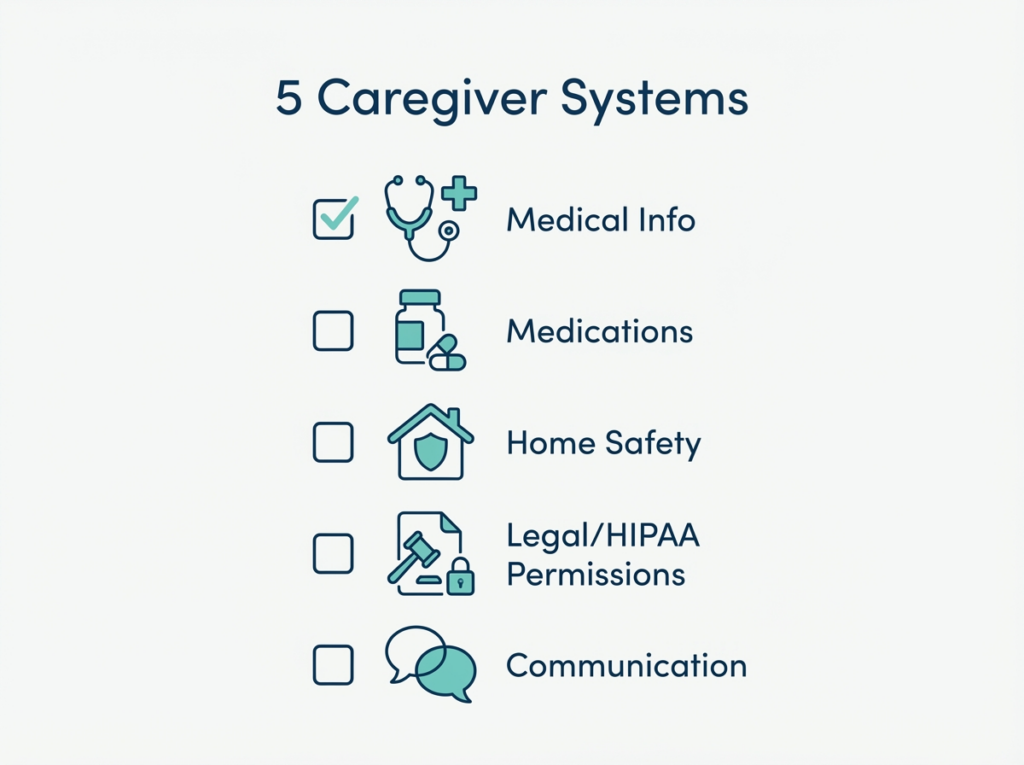
Sintra Image: New Caregiver 5 Systems to Get Organized
New Caregiver Checklist: The 5 Systems That Prevent Chaos (and Crises)
What is a “Caregiver Command Center”?
A Caregiver Command Center is one place (a binder, a folder, a shared digital note, or a combination) where you keep the information you need to make good decisions—especially when you’re tired, stressed, or in a hurry.
It’s not about being perfect. It’s about being prepared. Both Linda and I are managing the care of aging parents as well. Linda and her dad and My mom and me. We are also not perfect. The systems we share help us stay on top of things and keep things under control while we continue to support you and our clients.
When these systems are in place, caregivers often report:
- Less panic during changes or emergencies
- Fewer missed details at appointments
- Better coordination with siblings and providers
- More confidence advocating for their loved one
The 5 Caregiver Systems (Checklist)
You don’t need fancy tools. You need a repeatable structure or “process”
1) Medical Information System (Quick Facts Sheet)
This system answers: What’s going on medically—and who is managing what?
Start with:
- Current diagnoses and recent hospitalizations
- Primary care provider + key specialists (names, clinics, phone numbers)
- Allergies
- Recent test results or major procedures (just the highlights)
- Health Insurance/Medicare Information
Quick win: Create a one-page “Quick Facts” sheet you can grab before appointments or emergencies.
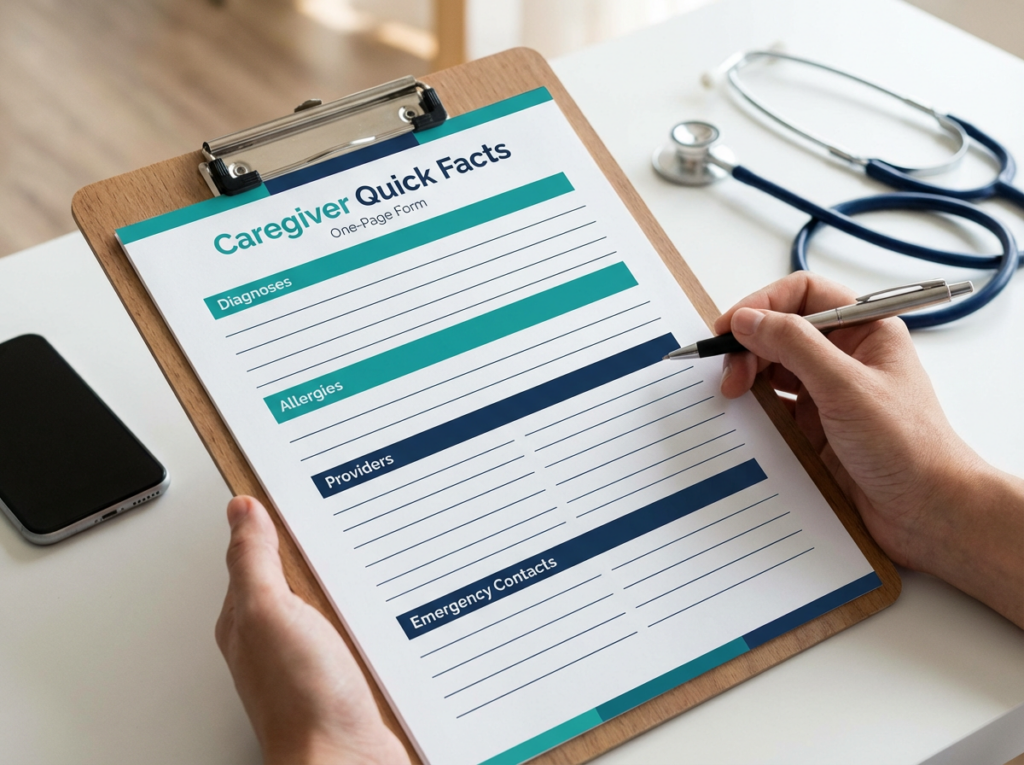
Sintra Image: One Page Quick Fact Sheets
2) Medication List System (Your Source of Truth)
This system answers: What are they taking, how, and why?
Medication mix-ups are one of the most common reasons we see avoidable complications.
Start with:
- Medication name (and what it’s for)
- Dose + time of day
- Who prescribed it
- Pharmacy name/number
- Supplements and over-the-counter meds (yes—include these). This is often forgotten and dismissed as being “unnecessary” because they are just supplements. Herbs and Supplements can interact with prescription medications, or can affect things like liver and kidney function. Your provider can best help you manage the use of both safely.
Quick win: Pick one “source of truth” list and update it anytime something changes. Bring it to every appointment. We will include a medication list template you can use under the
“Resource Section” at the end of this post.

Sintra Image: Medication Management
3) Home Safety System (Fall Prevention)
This system answers: Is the environment helping—or hurting?
Many caregiver crises start at home: a fall, a missed meal, a medication confusion, or a bathroom setup that isn’t safe.
Start with:
- Fall risks (throw rugs, poor lighting, stairs, clutter)
- Bathroom safety (grab bars, shower chair, non-slip mat)
- Mobility needs (walker/cane fit, footwear, clear pathways)
- Emergency plan (who to call, where the nearest hospital is, key contacts)
Quick win: Do a 10-minute “walk-through” of the home and write down the top 3 safety fixes. We will include resources for you on this topic in the resource section at the end of this blog post.
P.S. If your aging loved one has respiratory conditions and can get short of breath, you may want to put a chair or a place to rest if they have to walk the distance of your or their house etc.
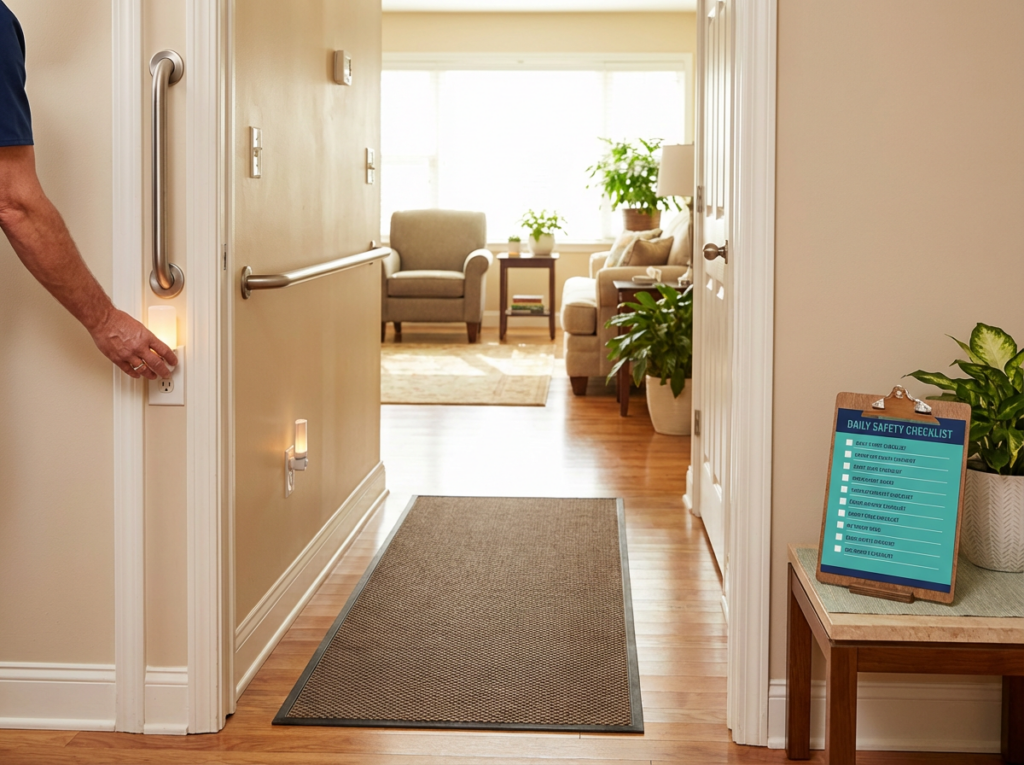
Sintra Image: Home Safety Check
4) Legal + HIPAA Permissions System
This system answers: Do you have permission to talk to providers and manage care?
This is where many new caregivers get stuck. You can be doing everything… and still be told, “We can’t share information.”
Start with:
- HIPAA release / permission to speak with providers
- Healthcare Power of Attorney (or who has it)
- A list of where important documents are stored
- Begin to explore if Estate Planning is done or in process
Quick win: Ask the provider’s office: “What form do you need on file so you can speak with me about my loved one’s care?” Get proxy access to their My Chart. This is a huge step in staying informed and organized.
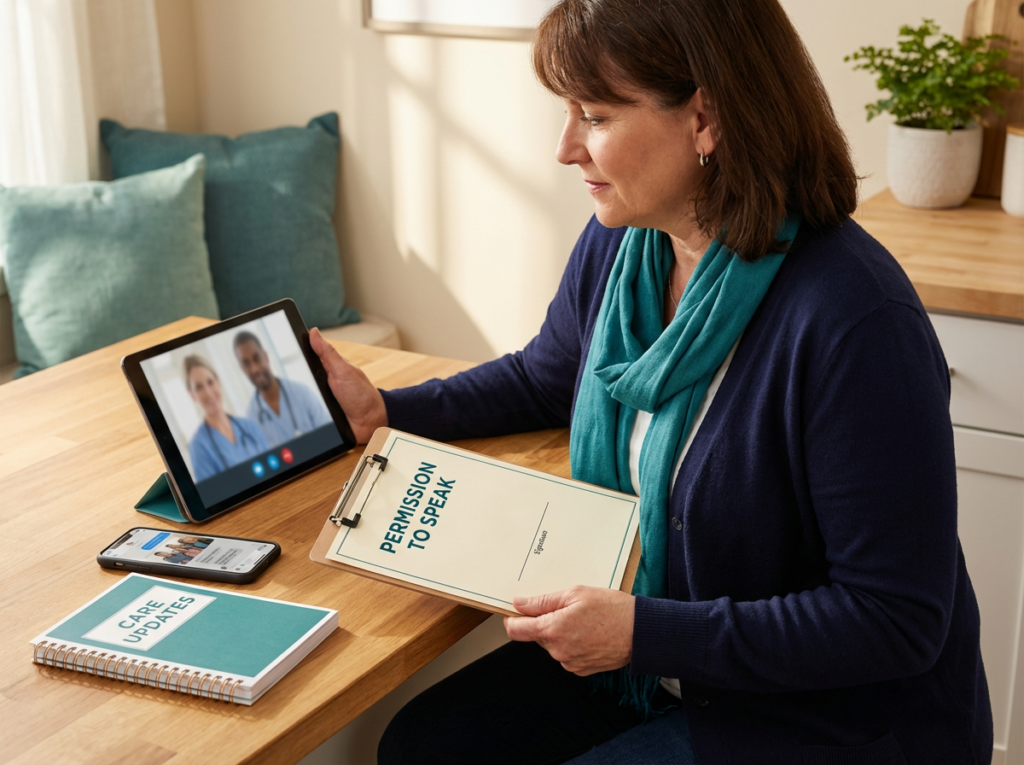
Sintra Image: Permission to speak documentation
5) Communication System (Siblings + Providers)
This system answers: How do we communicate clearly—without constant confusion or conflict?
Start with:
- A simple way to track questions for appointments (notes app, paper list, shared doc)
- A place to record what the provider said (date + next steps)
- A plan for family updates (who updates whom, and how often)
Quick win: Choose one “point person” for provider communication and one method for family updates (group text, weekly email, shared note). Choose a communication method and stick with it. It is important to be consistent.
Where to Start If You’re Overwhelmed
If you’re reading this and thinking, “I can’t do all of that,” you’re not alone.
Start here:
- Medication list (most immediate safety impact)
- Quick Facts sheet (helps in every appointment and emergency)
- Permissions (so you can advocate without roadblocks)
Even one system can reduce stress this week.
New Caregiver Bootcamp (Next Step)
On March 26, we’re hosting our New Caregiver Bootcamp—a 2-hour session designed for real-life caregivers (not medical professionals).
In 2 hours, you’ll go from overwhelmed and unsure what to do first to having a clear, step-by-step caregiver starter plan—so you can protect your loved one, reduce avoidable crises, and feel confident navigating the healthcare system.
Comment or DM “BOOTCAMP” to get on the early interest list (registration opens March 11).
FAQ’s
1) What should a new caregiver do first?
Start with the Medication List (safety), a one-page Quick Facts sheet (helps in every appointment/emergency), and permissions (so providers can talk to you). You don’t have to set up everything at once—one small system can reduce stress this week.
2) What is a “Caregiver Command Center”?
A Caregiver Command Center is one place (binder, folder, shared digital note, or a mix) where you keep the key information you need to make decisions—especially when you’re tired, stressed, or in a hurry. It’s not about perfection; it’s about being prepared.
3) What information should I keep in a caregiver binder?
Include:
- Diagnoses and recent hospitalizations
- Primary care provider and specialists (names, clinics, phone numbers)
- Allergies
- Current medication list (including OTC meds and supplements)
- Pharmacy information
- Emergency contacts and preferred hospital
- HIPAA release/permission forms (or where they’re stored)
- Healthcare Power of Attorney details (who has it, where it is)
- Appointment notes (date, what was decided, next steps)
4) How do I make an accurate medication list?
Pick one “source of truth” (paper, notes app, spreadsheet—anything you’ll actually update). List each medication’s name, what it’s for, dose, time of day, who prescribed it, and the pharmacy. Update it any time something changes and bring it to every appointment.
5) Should I include over-the-counter meds and supplements?
Yes. Many complications come from interactions or duplicate ingredients. Include:
- Vitamins and supplements
- Pain relievers (like acetaminophen/ibuprofen)
- Sleep aids
- Allergy meds
- “As needed” medications
6) Do I need a Healthcare Power of Attorney to talk to doctors?
Not always—but you usually need some form of permission on file. Many offices won’t share details without a signed release. Ask the office directly: “What form do you need on file so you can speak with me about my loved one’s care?”
7) What is a HIPAA release, and how do I get one?
A HIPAA release is a form that allows healthcare providers to share information with someone the patient chooses. You can request it from:
- The primary care office
- A hospital or clinic’s medical records department
- A patient portal (sometimes available digitally)
8) What should I bring to a doctor appointment as a caregiver?
Bring:
- Your updated medication list
- Your Quick Facts sheet (diagnoses, allergies, providers)
- A short list of questions (prioritized)
- A way to take notes (and write down next steps)
- Any relevant discharge paperwork or recent test highlights
9) How can siblings share caregiving responsibilities without constant conflict?
Choose:
- One point person for provider communication
- One method for updates (group text, weekly email, shared note)
- A simple rhythm (e.g., “updates every Sunday”) Clear roles and predictable updates reduce misunderstandings.
10) What are the most common caregiver mistakes that lead to crises?
The big ones we see are:
- No single, updated medication list
- Missing or outdated provider/contact information
- No plan for falls and home safety risks
- No permission forms on file (so you’re blocked during a crisis)
- Relying on memory instead of a simple system
11) What if my parent refuses help or won’t share information?
Start small and focus on safety and trust:
- Ask for permission for one thing (like being added as a contact)
- Offer to “help keep the medication list updated”
- Use calm, practical language: “I want to be ready in case of an emergency.” If there are safety concerns, consider involving the primary care provider for guidance.
12) How do I know if I need a nurse advocate?
Consider extra support if you’re dealing with:
- Frequent ER visits/hospitalizations
- Multiple specialists and confusing instructions
- Medication changes you can’t keep straight
- Family conflict about decisions
- Feeling overwhelmed, unsure what to do next A nurse advocate can help you organize the big picture, prepare for appointments, and reduce avoidable crises.
13) Is there a step-by-step plan for brand-new caregivers?
Yes. Our New Caregiver Bootcamp is a 2-hour session designed for real-life caregivers (not medical professionals). You’ll leave with a clear starter plan and the key systems to build your Caregiver Command Center.
14) What’s one quick win I can do today?
Do a 10-minute home walk-through and write down the top 3 safety fixes (lighting, clutter, bathroom setup, trip hazards). Then update the medication list—those two steps alone can prevent common emergencies.
Run a Doctor Appointment Like an Advocate
You don’t have to do this alone—and you don’t have to figure it out the hard way.
Thank you for spending time with us this week. We’re so glad to be part of your journey in caring for your aging loved ones. It’s an honor to share resources, insights, and a little encouragement to support you along the way. We look forward to bringing you more helpful tools and compassionate guidance in the weeks ahead. See you back here soon!
With care,
Pam and Linda
Your Nurse Advocates
“Compassionate Care for Aging Adults Along With Peace of Mind for the Family”
RESOURCES
Family Caregiver Meeting Agenda
Registration Open for The New Caregiver Boot Camp 3/11/27. This link will be live on 3/11/26 https://yournurseadvocateconsulting.thrivecart.com/new-caregiver-bootcamp/
Medical Disclaimer
The information provided in our emails and all forms of content including but not limited to podcasts, blog posts, videos, or social media posts are for informational purposes only and is not intended to substitute professional medical advice, diagnosis, or treatment. Always seek the advice of your physician or other qualified healthcare provider with any questions you may have regarding a medical condition or care plan. Never disregard professional medical advice or delay seeking medical care because of something you have read here. Your health and well-being are our top priority.
About the Authors
At Your Nurse Advocate Consulting, Pam and Linda’s mission is to empower aging adults and their families to take control of their health, prepare for life’s uncertainties, and secure their peace of mind. We are dedicated to providing compassionate guidance, personalized support, and expert resources to help our clients navigate complex medical needs and organize their personal affairs.
As independent patient advocates we have a steadfast commitment to clarity, family well-being, and empowerment, we strive to make a meaningful impact by ensuring our clients feel confident, prepared, and cared for every step of the way on their healthcare journey.
Expert Guidance You Can Trust
With over 80 combined years of R.N. experience navigating the complex healthcare system, we stand as trusted guides for seniors and their families. Our expertise ensures they can access the care and resources they need without feeling overwhelmed by red tape or confusion.